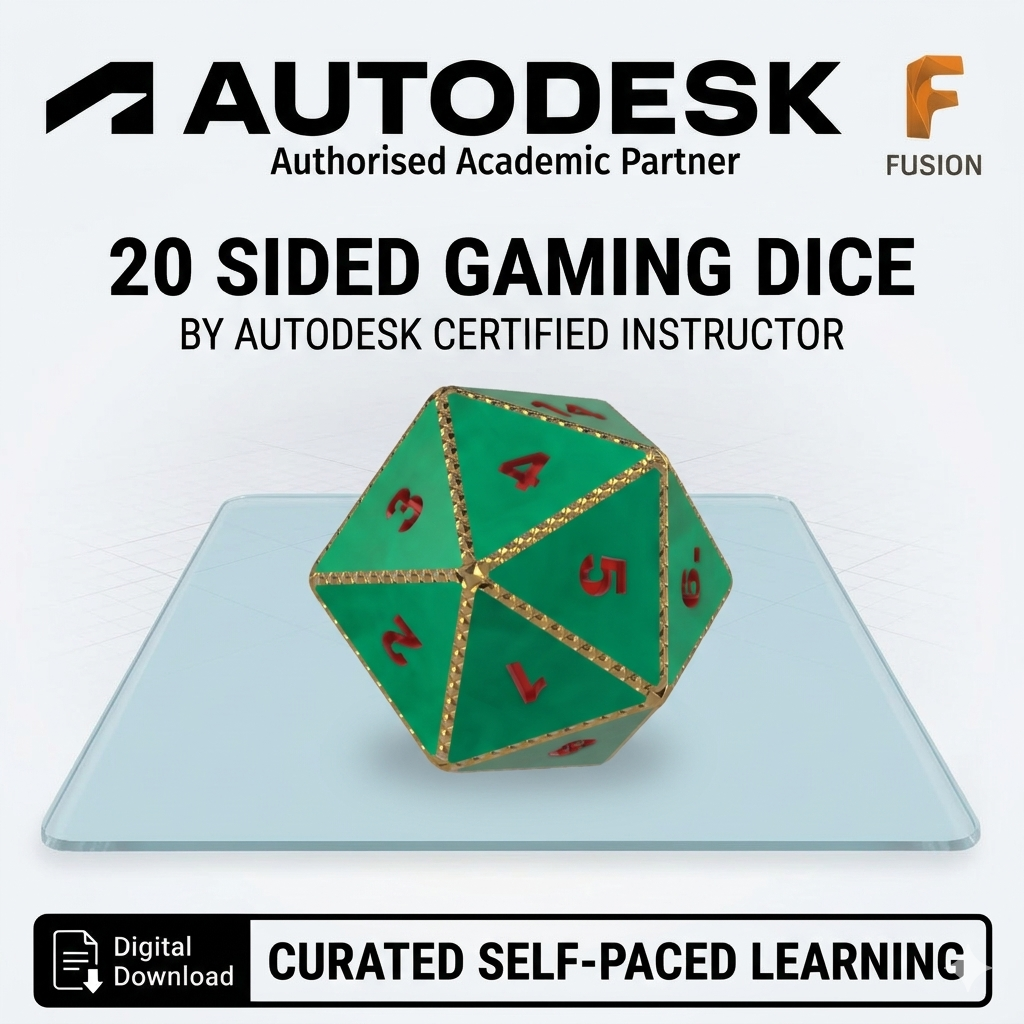
This tutorial, created by an Autodesk Authorized Academic Partner, provides a comprehensive, self-paced guide to designing a custom 20-sided die (d20) for 3D printing and tabletop gaming. Designed for users with a skill level of 3-4 out of 10, this project focuses on developing essential skills in 3D sketching and surface workspace tools
Throughout the training, you will learn to:
Construct a Core Framework: Create precise 16mm x 10mm rectangles across the XZ, YZ, and XY planes to form the foundational geometry of the die.
Master 3D Sketching: Utilize the 3D Sketch feature to bridge rectangle corners, transforming 2D shapes into a complex three-dimensional wireframe.
Apply Surface Modeling: Use the Patch tool to generate individual triangular faces and the Stitch tool to bind all 20 surfaces into a single solid body.
Refine and Detail: Smooth the die's edges with the Fillet tool to improve rolling performance and use Extrude to either emboss or deboss numbers onto each face.
By the end of this resource, you will have a fully modeled, 3D-printable d20 that can be customized for your own quests.
This tutorial, created by an Autodesk Authorized Academic Partner, provides a comprehensive, self-paced guide to designing a custom 20-sided die (d20) for 3D printing and tabletop gaming. Designed for users with a skill level of 3-4 out of 10, this project focuses on developing essential skills in 3D sketching and surface workspace tools
Throughout the training, you will learn to:
Construct a Core Framework: Create precise 16mm x 10mm rectangles across the XZ, YZ, and XY planes to form the foundational geometry of the die.
Master 3D Sketching: Utilize the 3D Sketch feature to bridge rectangle corners, transforming 2D shapes into a complex three-dimensional wireframe.
Apply Surface Modeling: Use the Patch tool to generate individual triangular faces and the Stitch tool to bind all 20 surfaces into a single solid body.
Refine and Detail: Smooth the die's edges with the Fillet tool to improve rolling performance and use Extrude to either emboss or deboss numbers onto each face.
By the end of this resource, you will have a fully modeled, 3D-printable d20 that can be customized for your own quests.